Productivity Tracker
Desktop activity monitoring, timelogs and performance.
A desktop application that runs on each employee's computer to monitor activity, log working time, separate active from idle hours and show managers team performance, alongside tasks and projects, for office and remote teams.
- Tiempo
- Registro de entrada, sesiones, tiempo activo e inactivo
- Trabajo
- Tareas, proyectos, hitos
- Equipos
- Office, remote, hybrid
- Acceso
- Desktop app for employees, web dashboard for managers
Funciones de Productivity Tracker
Panel
Resumen de productividad, horas y tareas de cada equipo.
Tareas y proyectos
Asigne, priorice y dé seguimiento hasta completarlas.
Control de tiempo
Registro de entrada y salida, sesiones y horarios de turno.
Información de actividad
Tiempo activo e inactivo y tendencias de productividad.
Permisos
Solicitudes y aprobaciones vinculadas a los datos de tiempo.
Alertas inteligentes
Recordatorios de plazos y alertas de inactividad.
Get the Productivity Tracker datasheet
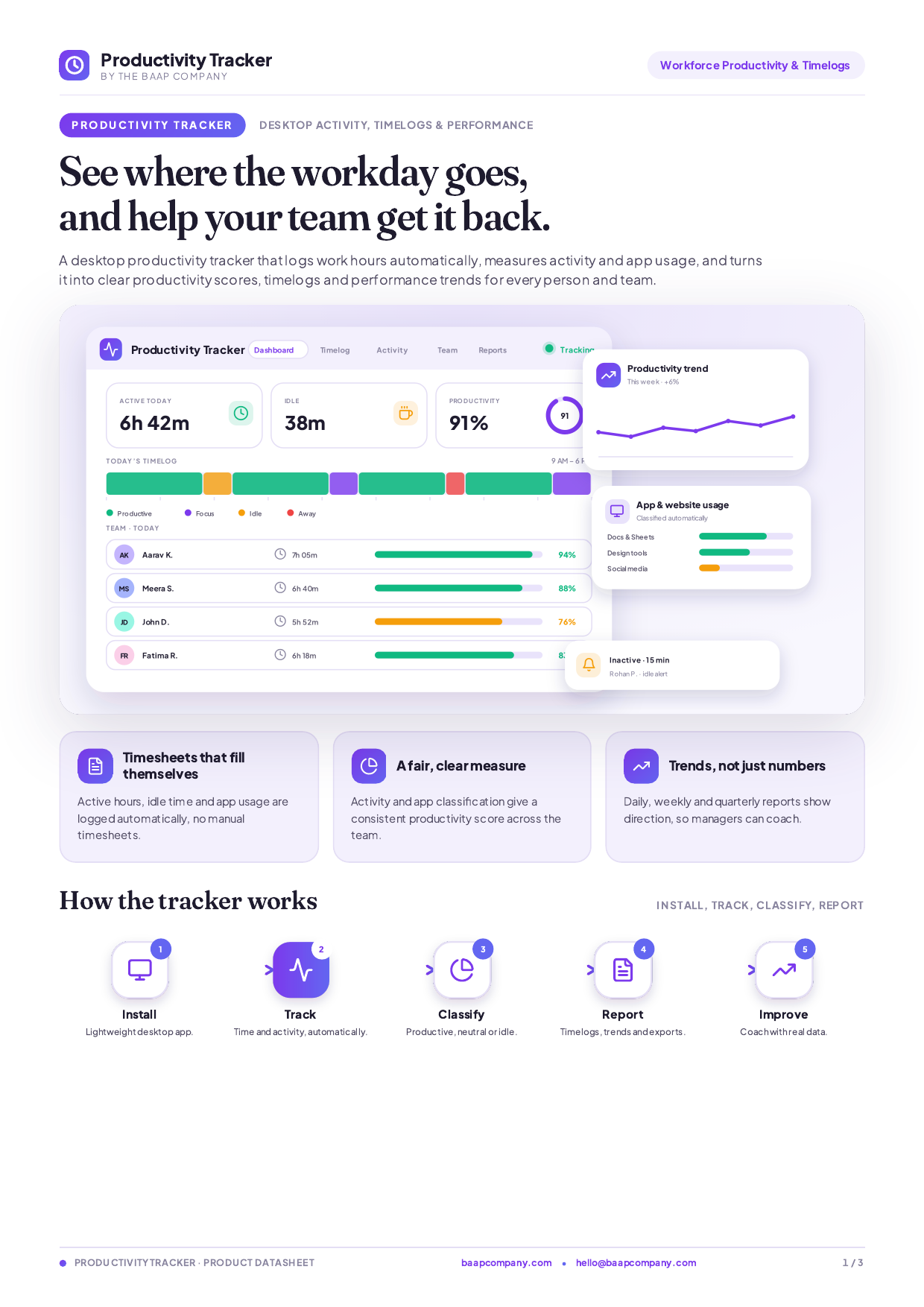
See where the workday goes, and help your team get it back. A 3-page overview to read later or share with your team.
- Automatic work hours, active time, idle time and app usage
- Productive, neutral and idle app classification
- Individual and team productivity scores
- Daily, weekly and quarterly trends, timesheets and exports
Cómo funciona Productivity Tracker
Planifique
Cree tareas con responsables, plazos y prioridad.
Controle
Las horas y la actividad se registran automáticamente.
Supervise
Los gerentes ven el avance en tiempo real.
Mejore
La información muestra dónde reequilibrar el trabajo.
Quién usa Productivity Tracker
Equipos de software
Sprints, actividad de desarrolladores y cronogramas.
BPO y soporte
Horas de trabajo, producción y control de turnos.
Agencias
Tareas de clientes, recursos y plazos.
Equipos remotos
Visibilidad sin microgestión.
Parte de nuestras soluciones sectoriales para logística y transporte.
Implementación, seguridad y soporte
Cloud hosting
Productivity Tracker runs in our cloud as a managed service. For data residency or security requirements, on-premises or hybrid deployment is available with BoardView Enterprise.
Acceso basado en roles
Roles y permisos detallados, historial de auditoría y claves de API seguras para integraciones.
Onboarding and support
Data migration, configuration and training from the engineers who build the product, with support levels set by your plan.
Preguntas frecuentes sobre Productivity Tracker
What is the Productivity Tracker?
The Productivity Tracker is a desktop application that runs on each employee's computer to monitor activity, log working time, separate active from idle hours and show managers team performance, alongside tasks and projects, for office and remote teams.
Is Productivity Tracker a mobile app?
No. It is a desktop application installed on each employee's computer. It records activity, working sessions and active versus idle time, and managers review timelogs and performance in a web dashboard.
¿Funciona para equipos remotos?
Yes. The desktop app works wherever the employee's computer is, in the office or at home, and syncs timelogs and activity to the manager dashboard.
Who uses the Productivity Tracker?
Common uses include software teams (sprints, developer activity and timelines); BPO and support (work hours, output and shift tracking); agencies (client tasks, resources and deadlines); and remote teams (visibility without micromanagement).
How does the Productivity Tracker work?
It works in four steps. 1. Plan: create tasks with owners, deadlines and priority. 2. Track: hours and activity are captured automatically. 3. Monitor: managers see progress in real time. 4. Improve: insights show where to rebalance work.
Does the Productivity Tracker work with other Baap products?
Yes. The Productivity Tracker connects with Baap HRMS and BoardView: uses HRMS employee records, attendance and payroll; links tracked time to BoardView projects and tasks. Other systems connect through AI Workflow Automation, webhooks and APIs, scoped with you.