Speed-to-lead in 60 seconds
- New CRM lead
- AI scores lead
- AI calls back
- Task for rep
Every new lead gets a qualifying call within a minute, and the rep sees a summary and a task in BoardView.
Build AI workflows on a visual canvas, drop into code when you need it, and connect every Baap app plus any API. If your team already works in BoardView, your CRM, HR, Commerce and tasks are already connected.
Standalone automation tools make you connect each app, manage API keys and map fields by hand. Here, Baap apps appear in the node panel with their triggers and actions ready to use, and they share one data model, so a customer in CRM is the same customer in Invoicing, Commerce and WhatsApp.
BoardView is where your teams work. Workflow Automation runs inside it, so there is nothing new to integrate.
The same BoardView login opens the workflow builder. No new accounts or passwords.
Contacts, employees, products, tasks and invoices are shared records, so workflows never need field mapping.
Workflows respect BoardView roles. A workflow can only touch what its owner is allowed to.
Workflows create tasks, comments and notifications in BoardView, so people see the outcome without leaving it.
Ready-made recipes that connect Baap apps across departments. Open one, adjust it to your process and switch it on.
Every new lead gets a qualifying call within a minute, and the rep sees a summary and a task in BoardView.
One HRMS entry creates the onboarding project, document folder, accounts checklist and welcome message.
Commerce watches inventory; AI drafts the order and a manager approves it before it goes out.
Polite, personalised reminders go out automatically, and the CRM owner is looped in if nothing happens.
A camera alert becomes a tracked incident with the right people notified in seconds.
Approved leave flows straight into project plans and team calendars, so nobody plans around a missing person.
Parents get a WhatsApp reminder first and a friendly AI call only if the fee is still unpaid.
When a truck is delayed, the dispatcher and customer get an update with the new ETA.
Patients confirm or reschedule by talking to the AI agent, and the schedule updates itself.
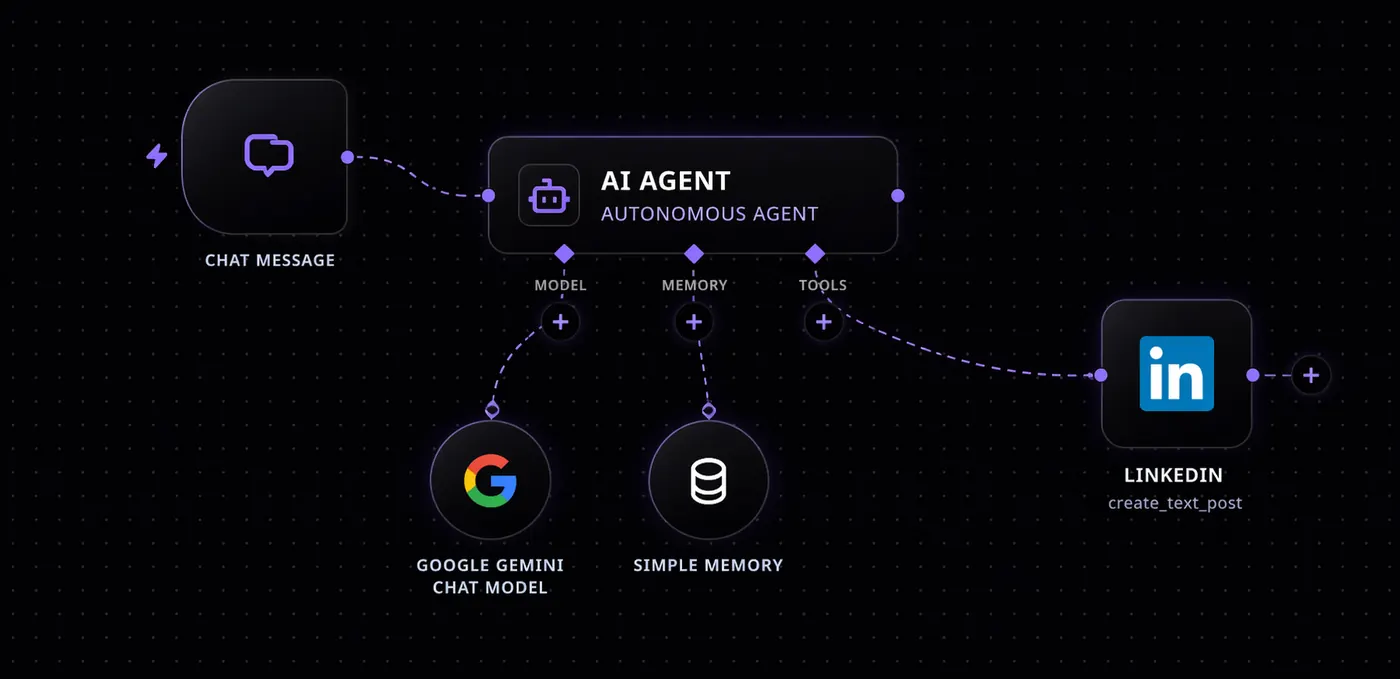
Give an agent your Baap apps as tools and a goal. Every step it takes is recorded: what it read, which tool it called, what came back and why it decided. Add a human approval before anything sensitive happens.
Most workflows need no code at all. When a rule is easier to write than to draw, add a JavaScript code step that reads data from earlier steps and calls Baap apps directly, then test it on real data before you publish.
// Score a lead with your own rules
const lead = input.lead;
let score = 0;
if (lead.employees >= 50) score += 40;
if (lead.source === "demo-form") score += 30;
if (crm.openDeals(lead.company) === 0) score += 16;
return { ...lead, score, hot: score >= 70 };{ "score": 86, "hot": true }Every run is logged with the input and output of each step.
Failed steps retry automatically, and a separate workflow can handle errors.
Pause for approval in BoardView or WhatsApp before a sensitive step runs.
BoardView roles control who can build, edit and run each workflow.
Keys for external services are stored encrypted and never shown in workflows.
Keep data and automations inside your own infrastructure when you need to.
Extra runs cost $5 per 10,000. No per-workflow or per-step charges.
It works the same way, with a visual canvas, triggers, AI agents and code steps, but every Baap app is already a native node. If your organization uses BoardView, CRM, HRMS or Commerce, those apps are connected the moment you open the builder: no API keys, no field mapping and no separate user accounts.
No. Workflows are built by dragging nodes onto a canvas, or by describing what you want and letting AI draft the workflow. Developers can add JavaScript code steps and call any REST API when they need more control.
Yes. An AI agent can use Baap apps as tools, for example looking up a customer in CRM, checking stock in Commerce or creating a task in BoardView, within the permissions of the workflow owner. Sensitive steps can require a human approval first.
Built-in connectors include Slack, Gmail, WhatsApp and Twilio, plus webhooks, schedules and a generic HTTP step that can call any REST API.
Workflows follow the same roles and permissions as BoardView. Every run is logged, with the data that passed through each step, so admins can audit what happened and when.
Workflow Automation runs in our cloud as a managed service. If your workflows need to stay inside your own infrastructure, on-premises or hybrid deployment is available with BoardView Enterprise.
Workflow Automation is included in BoardView Business with 2,000 runs per user a month and in BoardView All with 20,000 runs per user a month. Extra runs cost $5 per 10,000.
Pick a recipe, connect it to your Baap apps and see it run on your own data in a 30-minute demo.